Case Study · Educational Illustration · Visual Systems · Product Design
Software Engineering Essentials — Visual System for a 60-Card Training Deck
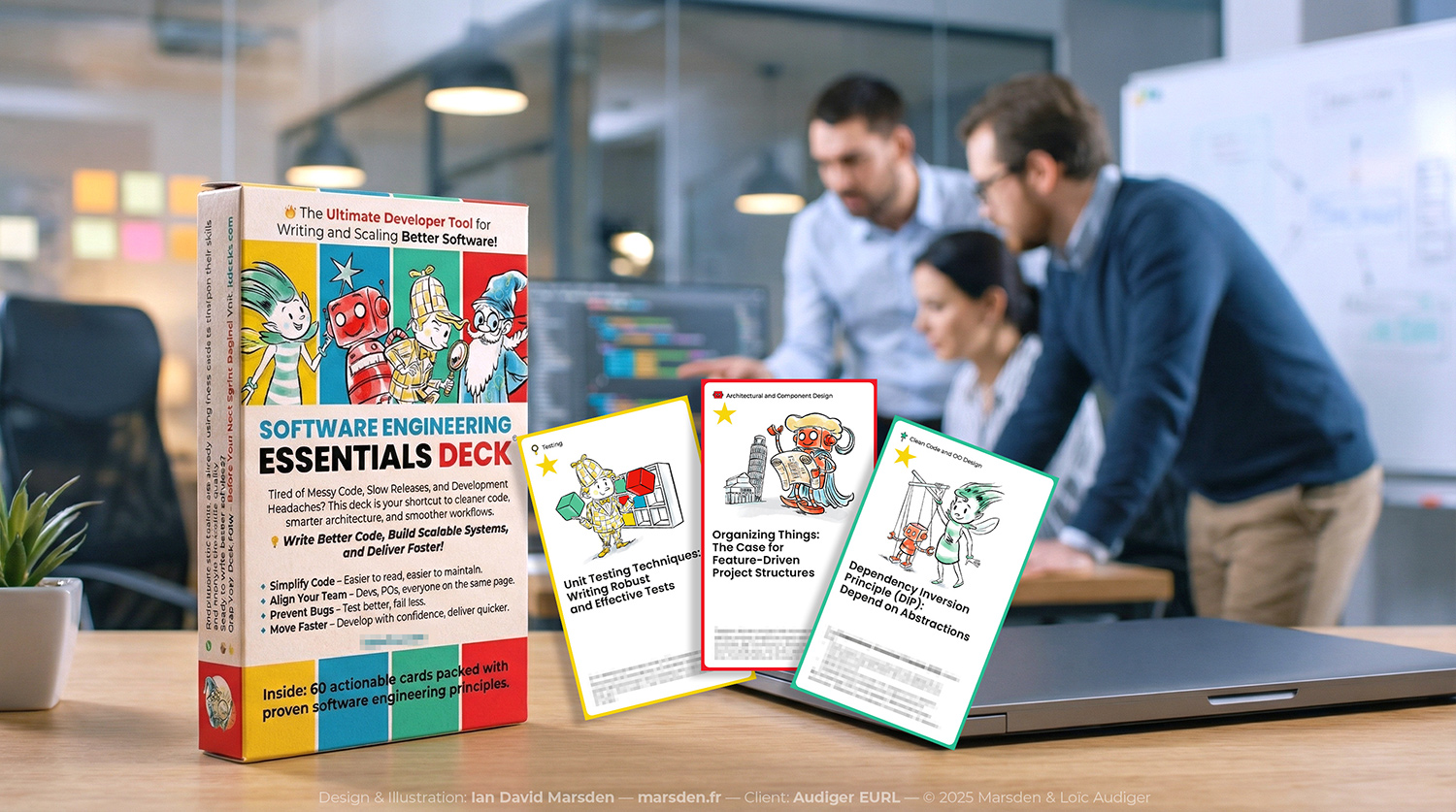
A professional software engineering training tool developed as a 60-card illustrated deck, combining a visual taxonomy, character system, iconography, instructional illustration, packaging and print production.
Client: Audiger EURL, France · Year: 2025
Role: Creative Director · Visual System Designer · Illustrator · Character Designer · Iconographer · Packaging & Production Lead
The Brief
Make abstract engineering concepts easier to navigate
The training content and sequencing were already defined. My role was to create the visual architecture around that material: a system that could help users recognise categories, move through the deck and connect abstract development principles with memorable visual cues.
The deck covers subjects including software architecture, Domain-Driven Design, development processes, refactoring, testing and quality practice. The visual system therefore had to be clear enough for technical material while remaining consistent across all 60 cards.
01 · Visual Taxonomy
Four categories, four characters, one navigational system
The deck is organised into four pillars. Each uses a dedicated colour, character and set of navigational cues so users can recognise the category before reading the detailed content.
Foundations — The Sprite
Core syntax, logic and fundamental development concepts.
Architecture — The Robot
Structural modelling, system thinking and architecture patterns.
Process — The Wizard
Iteration, continuous improvement and development processes.
Quality — The Inspector
Testing, automation, reliability and quality practice.
02 · Character & Illustration System
Characters as functional category markers
The four characters were designed as functional metaphors rather than mascots. They give each category a recognisable visual anchor while remaining part of one consistent system.
Across the deck, I created 60 individual illustrated scenes. Each one had to explain its subject clearly at card size, with enough context to support the concept without cluttering the composition.
All artwork was created as vector illustration in Adobe Illustrator so the asset system could scale cleanly across cards, packaging and future digital applications.
03 · Product & Production
From visual system to finished physical product
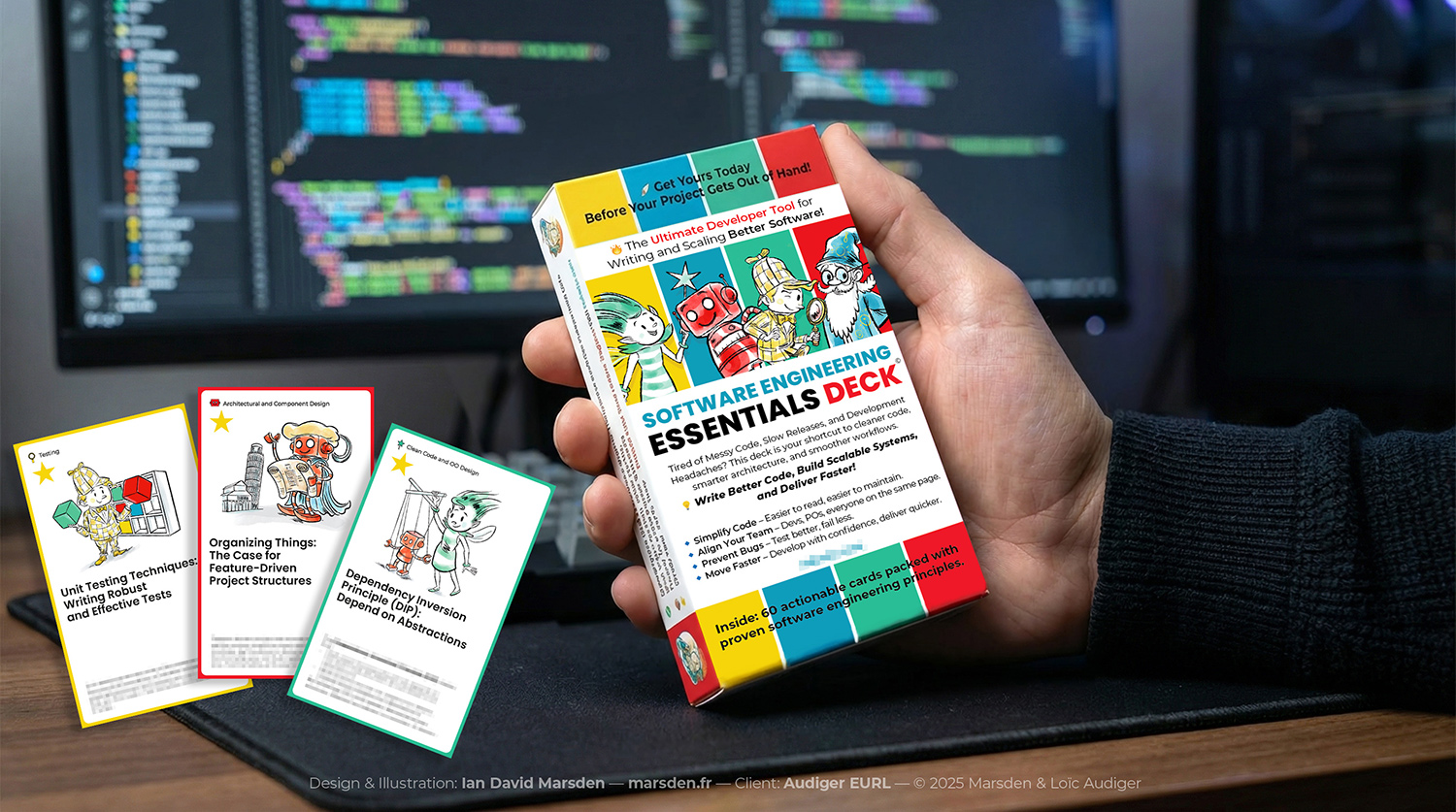
The commission extended beyond illustration into the complete product identity and production package, including the card box, iconography and files prepared for manufacture.
Packaging
Card-box design, production dielines, bleed and safety areas, and print-ready packaging artwork.
Asset System
Structured vector files, icon sets and reusable artwork organised for production and future extensions.
Delivery
Layered Adobe Illustrator files, print-ready PDF/X-4 files, SVG and PDF icon assets, and colour and typography guidelines.
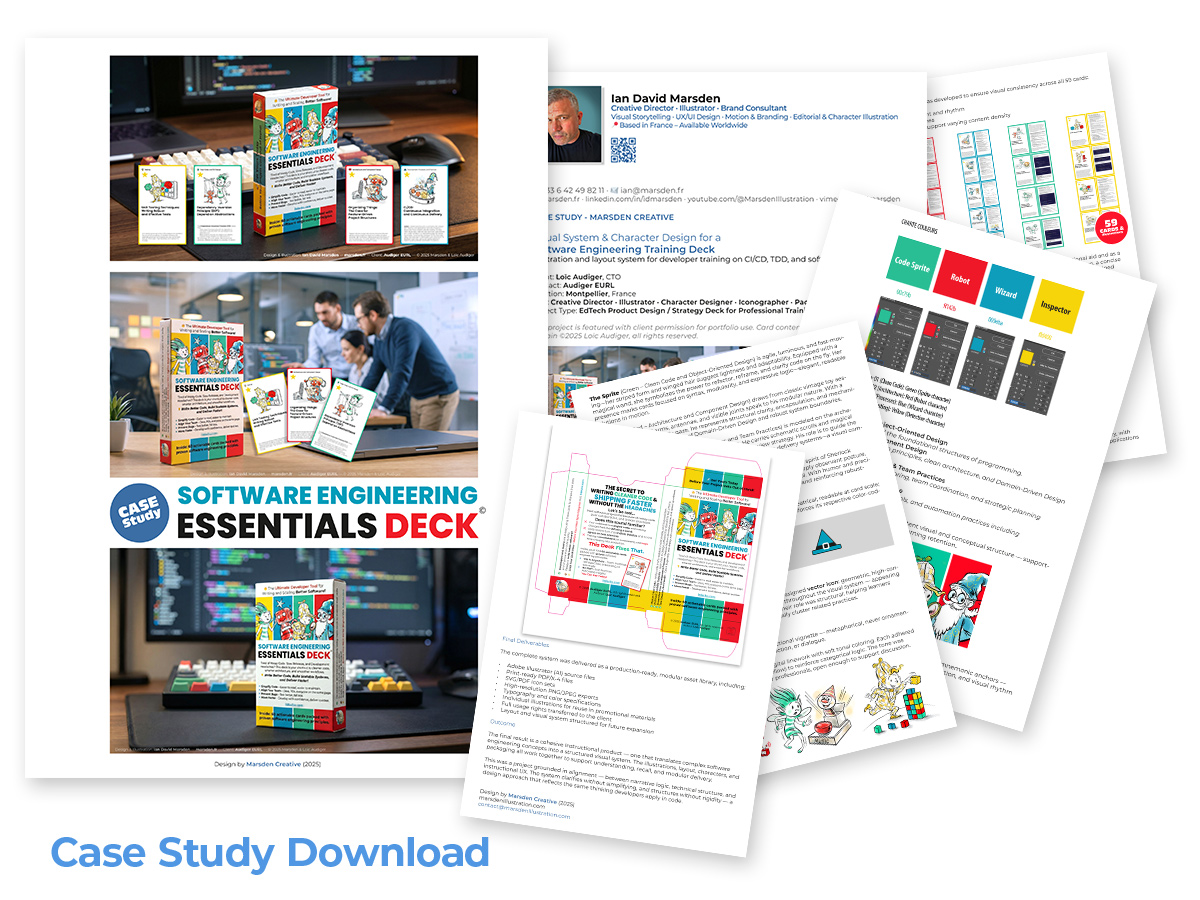
The Complete System
Illustration, navigation and production working as one system
The finished deck brings together 60 illustrations, four character anchors, a colour-coded taxonomy, iconography, packaging and production artwork within one coherent visual language. Each part supports the others rather than functioning as an isolated graphic.
Related work
Commissioned Illustration →
Graphic Design & Creative Direction →
Comics & Sequential Illustration →
Educational & Technical Illustration
Working on a complex subject that needs a clear visual system?
If you are developing training material, educational content or a technical communication project, send me a short outline of what you are working on.